Skipper: managing flaky tests without touching the code
4 min read testing , tooling , flaky-tests , ci , automation , quality
Anyone who works with automated test suites knows the frustration of a flaky test: one that fails every now and then for no apparent reason, blocks the pipeline, and distracts the whole team. The classic fix is to comment out the test, push a commit, and open a PR - a slow and noisy process for a problem that is often temporary. Skipper was built to eliminate that friction.
What is Skipper

Skipper is an open-source library (MIT license) that lets you enable and disable tests directly from a shared Google Spreadsheet, without touching the source code. Open the sheet, set an expiry date for the test you want to skip, and the next time the pipeline runs the test is automatically ignored.
The idea is simple: separating the configuration of test execution from its implementation.
How it works
The Google Sheet needs three columns: testId, disabledUntil, and notes. Each row represents one test. Setup is done via two environment variables (SKIPPER_SPREADSHEET_ID and GOOGLE_CREDS_B64) and requires no changes to individual test files - just a hook in the framework’s setup mechanism.
When Skipper is active, the test runner output is explicit and traceable:
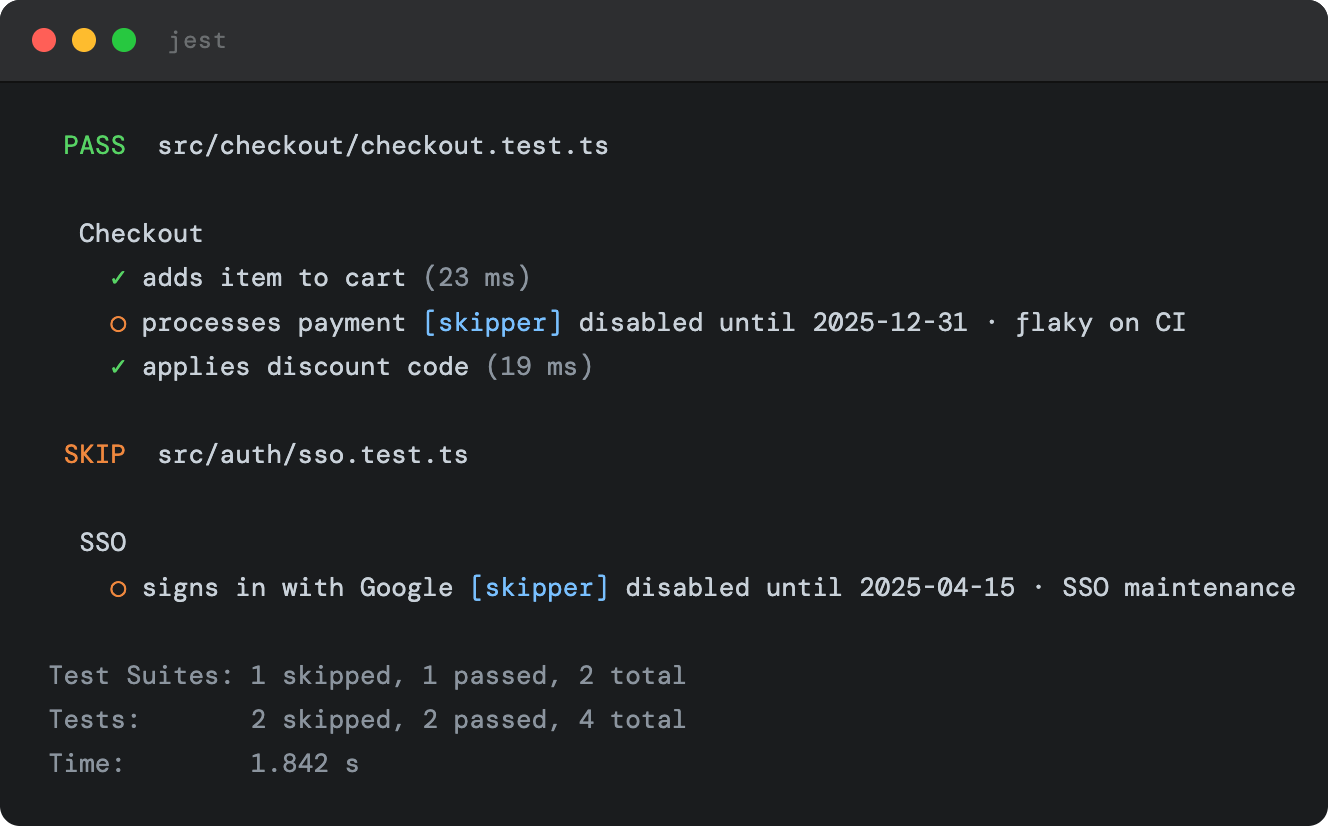
Worth noting is the choice of disabledUntil over a classic boolean enabled/disabled flag. A boolean tends to stay on disabled because no one remembers to flip it back: the test gets skipped, it fades from memory, and over time the suite fills up with inactive tests with no clear reason. disabledUntil forces you to pick an explicit expiry date: once that date passes, Skipper re-enables the test automatically.
A possible integration: notifications on team channels
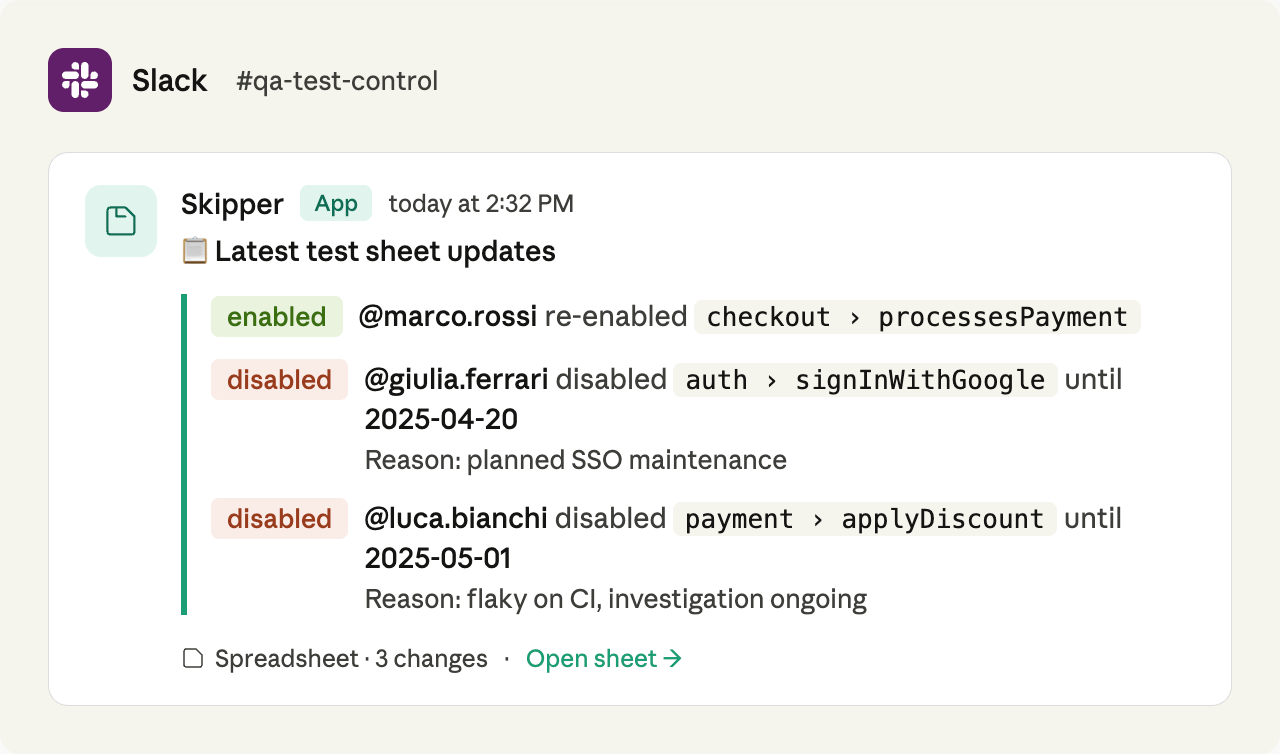
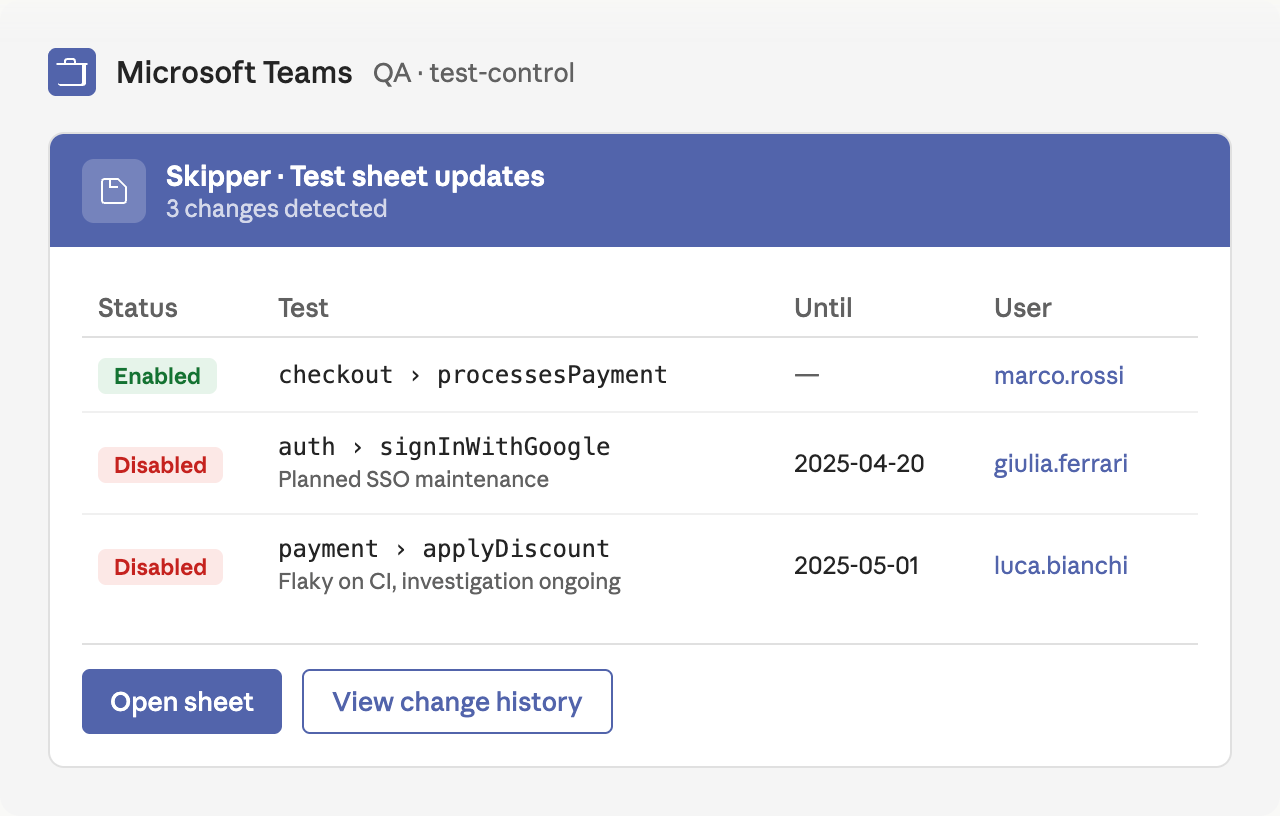
Skipper does not ship with a notification system out of the box, but its architecture makes it a natural candidate for one. Since all test changes go through a Google Spreadsheet, it is straightforward to attach a script or webhook that reads changes to the sheet and pushes them automatically to the channels the team already uses - Slack, Microsoft Teams, Discord.
For anyone interested in building this integration, here is what a message on Slack could look like:
Or on Microsoft Teams, with a tabular format more suited to enterprise environments:
And on Discord, with a dark theme consistent with the platform’s interface:
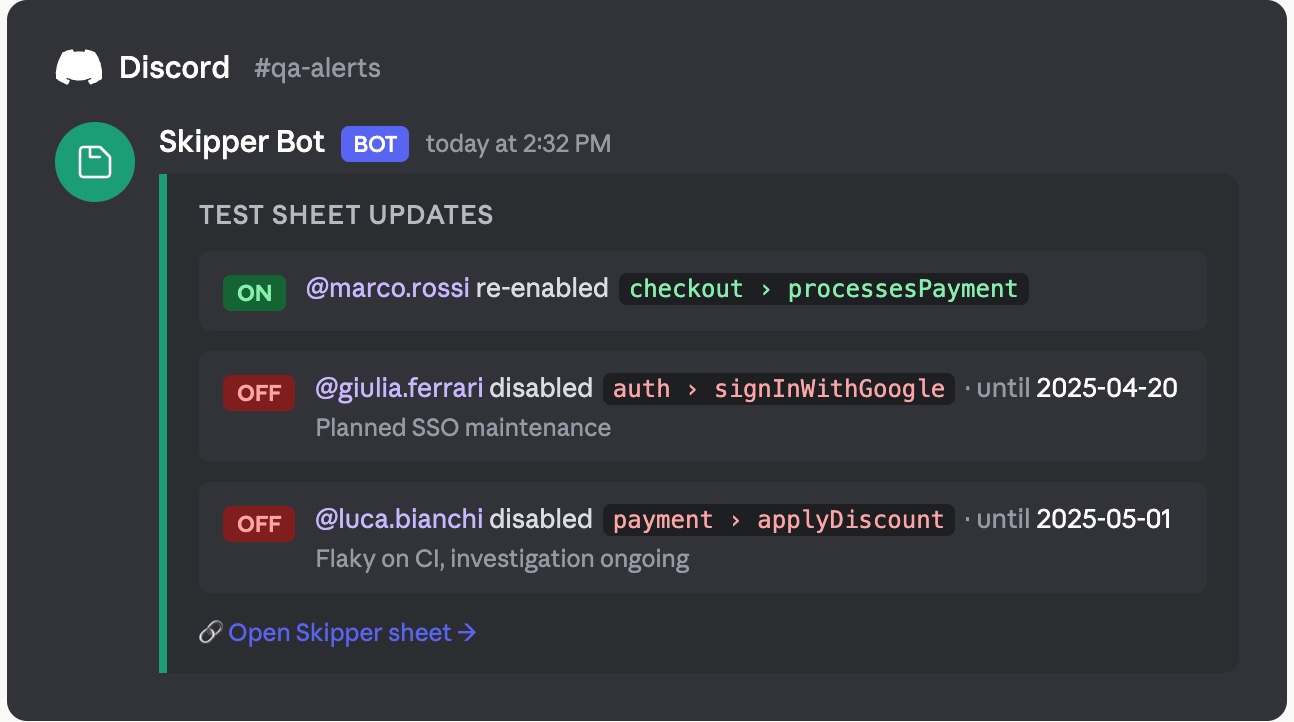
The pattern is the same in all three cases: who changed the test, which test, until when, and why. Anyone already familiar with Google Apps Script or the APIs of these services could build this integration in a few hours.
Main use cases
The ideal scenario is end-to-end tests, which by nature depend on external systems: payment providers, SSO, third-party services. A momentary outage in any of those is not a bug in your code, but it still breaks the build. With Skipper you disable the affected test in seconds, wait for the environment to recover, and re-enable it just as quickly - no PR, no one else involved.
Other situations where Skipper comes in handy:
- Tests for unreleased features: written ahead of time and kept in the codebase, but disabled in the sheet until the feature ships.
- Cross-team coordination: the backend team can disable the integration tests affected by a refactoring without waiting for QA to open a PR.
- Environment-specific configuration: separate sheets for CI and staging, with no conditional logic in the code.
- Experimentation: disable an entire category of tests to try a new approach, then restore everything without leaving any trace in the repository.
Multi-language and multi-framework support
Skipper is not tied to a single ecosystem. The project is organized into separate packages, one per language, each with dedicated adapters for the most widely used frameworks:
- JavaScript / TypeScript: Jest, Vitest, Playwright, Cypress, Nightwatch
- PHP: PHPUnit (10, 11, 12), Pest (v2, v3), Behat, Codeception, PHPSpec, Kahlan
- Go: testing (stdlib), Testify, Ginkgo
- .NET: xUnit, NUnit, MSTest, Playwright, SpecFlow
- Python: pytest, unittest, Playwright
- Java: JUnit 5, TestNG, Cucumber, Playwright
Each package has its own repository on GitHub. Integration with the test runner uses the framework’s native setup mechanism - no changes to individual test files.
Visibility for the whole team
One underappreciated benefit of using a Google Sheet as a control panel is accessibility: a QA engineer, a PM, or a tech lead can see at any time which tests are active and which are not, without opening the repository. Access control is handled by Google Sheets, complete with a built-in revision history as a native audit trail - no extra tooling required.
One small detail worth mentioning: Skipper uses itself to manage its own test suite, with a public spreadsheet showing the live status of every project repository.
Conclusion
Skipper tackles a real problem with a pragmatic solution. It does not eliminate flaky tests - but it dramatically reduces the cost of managing them, moving execution control out of the code and making it accessible to the whole team. For anyone working with CI/CD pipelines and a reasonably large E2E suite, it is worth a look.