Does Git History Really Influence Software Quality?
6 min read git , best-practices , quality
When we talk about software quality, we usually think about automated tests, architecture, code reviews, or reliability metrics.
Much more rarely do we think about Git history.
And yet it is one of the most underestimated assets of a project. Git history is not just a record of what changed in the code: it is the evolutionary memory of the system. It tells how the software grew, which decisions were made, and which problems were solved over time.
And, as often happens with complex systems, quality depends heavily on how readable that memory remains.
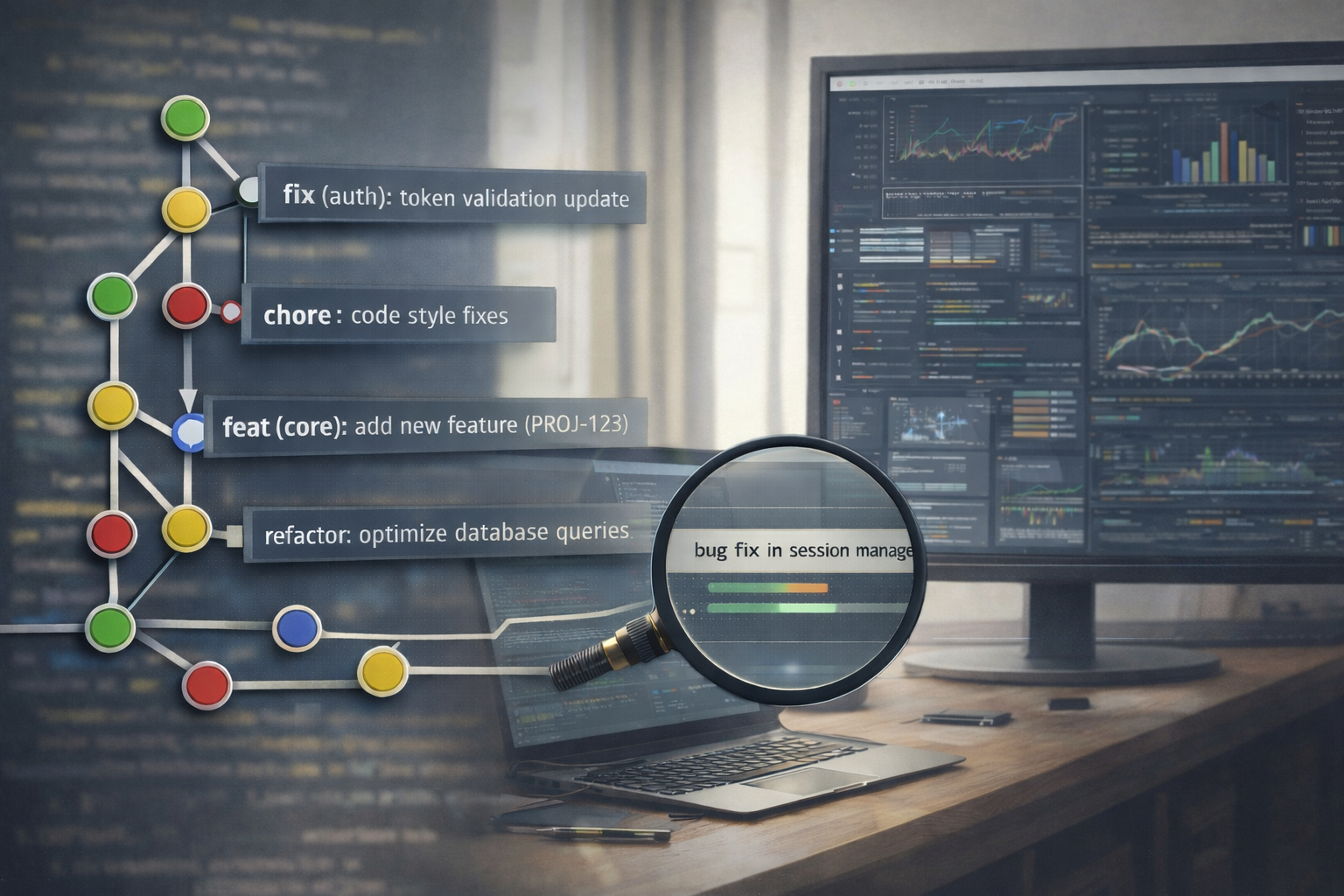
Git History as Living Documentation
A good history does more than track changes. It tells a story.
Each commit can explain:
- what changed
- why it changed
- in which context
A commit like:
fix stuff
doesn’t say much to someone reading the code six months later.
A more structured commit, on the other hand, becomes a small piece of documentation:
fix(auth): handle race condition in token validation (AUTH-431)
In a single line it contains:
- the type of change
- the architectural context
- a reference to the business issue
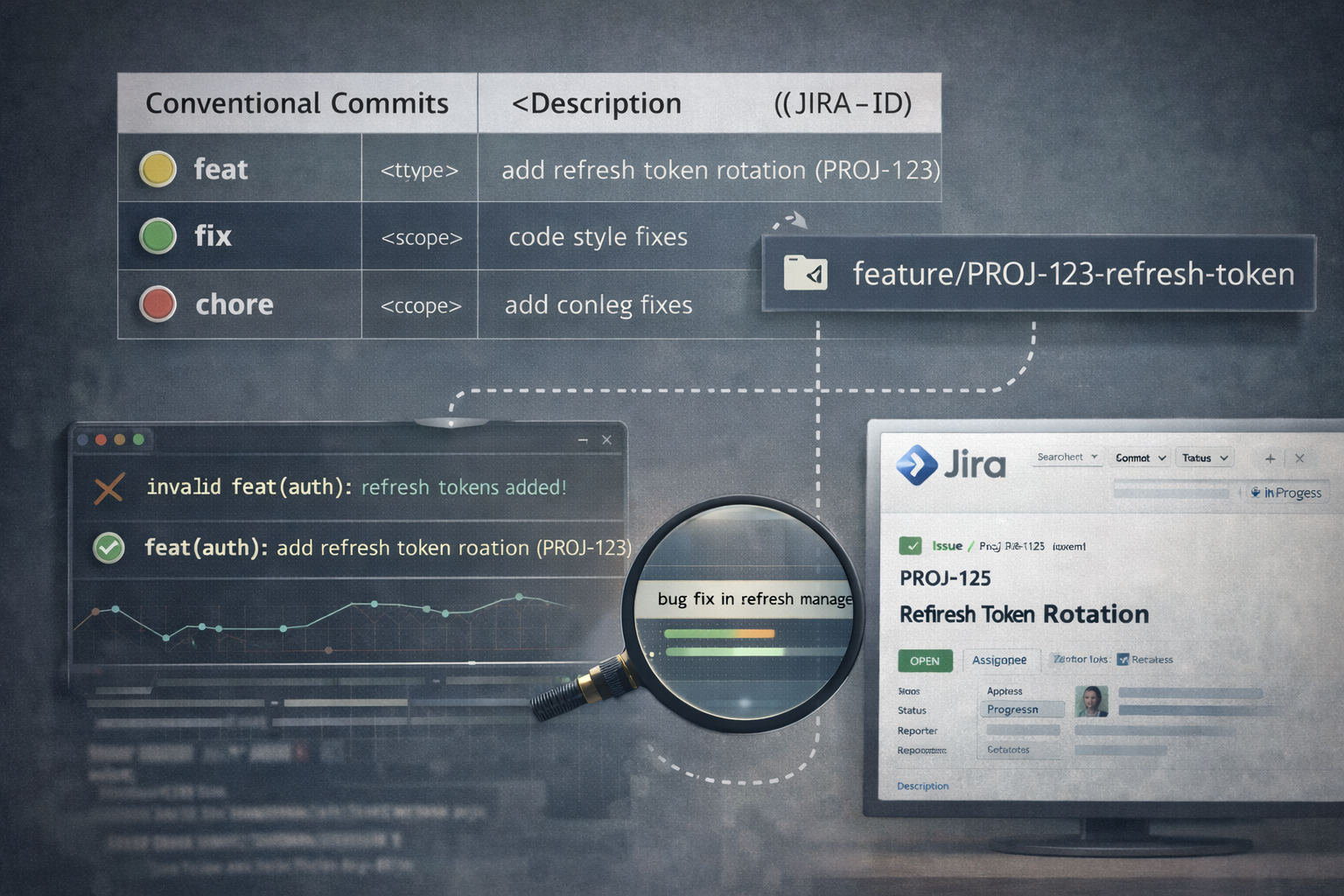
Conventions like Conventional Commits help give a consistent structure to a repository’s history. When combined with issue tracking systems like Jira, they allow teams to keep both technical meaning and business traceability.
A simple and effective pattern looks like this:
<type>(<scope>): <description> (<JIRA-ID>)
This makes the history simultaneously:
- readable for developers
- useful for automated changelogs and releases
- connected to business activities
This is not bureaucracy. It is designing the project’s memory.
Conventional Commits and Ticketing Systems
In many corporate environments, there is a risk that Git history becomes shaped entirely by ticket tracking requirements.
It is common to see commits like:
PROJ-123 update
They satisfy the tracking system, but they are almost useless for someone trying to understand the code later.
The alternative is not to choose between ticket references and technical semantics, but to combine them. For example:
feat(auth): add refresh token rotation (PROJ-123)
Many teams make this process almost effortless by adopting simple conventions:
- branch names linked to tickets (
feature/PROJ-123-refresh-token) - commit validation using commit linters
- integration between the repository and the tracking system
With this approach, the quality of the history does not rely only on individual discipline. It becomes part of the development system itself.
The Noise of Automated Pull Requests
Formatters, linters, and code style fixers are essential tools for maintaining consistent code.
But when misconfigured, they can introduce a side effect: a noisy commit history.
chore: apply formatting fixes
Taken individually, these commits are harmless. But when they appear continuously in the repository, they slowly add noise.
Over time this makes everyday tasks harder:
- diffs become harder to read
- understanding who introduced a piece of logic becomes less clear
- isolating regressions takes more effort
For this reason, many teams prefer a simple strategy: instead of creating automated fix PRs, the CI pipeline fails when the code does not follow formatting rules. Developers then fix the issues before merging.
Sometimes, however, a global formatting change is unavoidable — for example when introducing a new formatter across the whole repository. In that case it is better to make the change explicit in a single commit:
chore(format): apply prettier across the codebase
The downside is that such commits modify thousands of lines and can
break tools like git blame, which will attribute those lines to the
formatting commit instead of the original author.
To solve this problem, Git provides a useful feature:
.git-blame-ignore-revs.
This file allows you to specify commits that git blame should ignore
when tracing the history of a line of code.
Example:
# formatting commit
9f3e12b7f2c8a8e8e4a5f6b9c1d2e3f4a5b6c7d8
Then configure Git with:
git config blame.ignoreRevsFile .git-blame-ignore-revs
When running blame, Git will automatically skip those commits and show the original author of the logic instead of the person who only reformatted the file.
It is a small detail, but it highlights an important idea: tooling choices also influence the quality of a project’s history.
For a deeper look at how .git-blame-ignore-revs works in practice,
this article is a
useful reference.
When Git History Becomes Technical Debt
A messy history is not just an aesthetic issue. It can become a form of technical debt.
When commits are very large, poorly described, or mix unrelated changes, it becomes harder to understand what actually happened over time.
This has real consequences:
- finding regressions requires more trial and error
- reverting changes becomes riskier
- refactoring is avoided out of fear of breaking things
In other words, the cognitive cost of change increases.
The true quality of a system is not only in the code that exists today, but in how easily that code can evolve tomorrow. A readable history significantly lowers the cost of change.
Can We Measure the Quality of Git History?
There is no official metric for measuring history quality, but some indirect signals can help detect problems.
For example:
- very large commits
- many unrelated files modified together
- vague commit messages
- frequent revert commits
None of these signals is necessarily wrong on its own, but together they often indicate growing friction in the development process.
Git history is not just an archive. It is also a cultural indicator of how a team builds and maintains its software.
AI Makes This Even More Interesting
Git history is not only useful for developers. It is also a dataset of software evolution.
By analyzing a repository’s history, AI systems can identify patterns that are difficult to see manually:
- files that frequently change together
- modules that often introduce regressions
- bug patterns associated with specific types of modifications
Platforms like GitHub and GitLab are already starting to leverage these kinds of insights.
A Concrete Example
Imagine a repository where, over the past two years, the authentication module has been modified several times.
By analyzing the history, an AI system might discover that changes in the file:
token_validator.ts
are often followed by bugs in user sessions, which then require updates in:
session_manager.ts
When a developer opens a new pull request that modifies
token_validator.ts, the AI could raise a suggestion like:
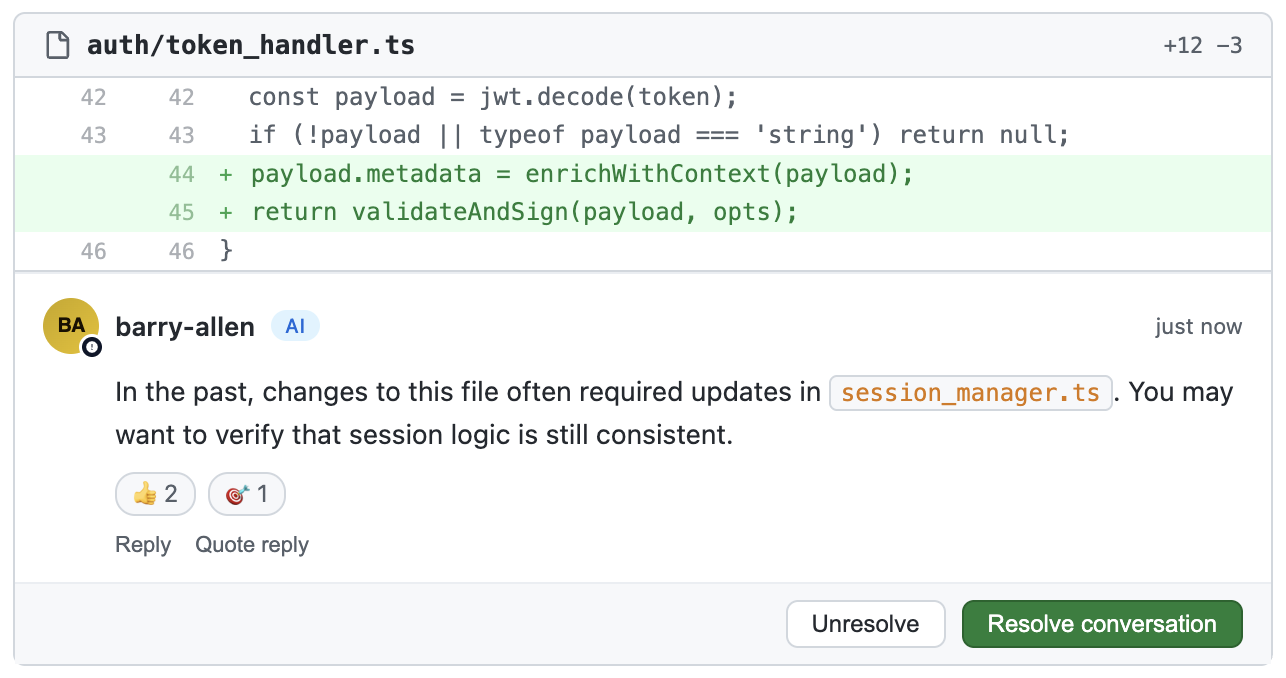
This kind of suggestion does not come from the current code alone, but from the system’s history.
In other words, the repository’s past experience becomes active assistance for developers.
But There Is One Condition: for this to work, the history must be readable.
If commits are huge, poorly described, or full of cosmetic changes, AI systems lose important context.
In simple terms: garbage history → garbage insight
A clean Git history does not only help future developers. It also helps the intelligent tools that will work with that code.
To Conclude…
Git history is not just a passive archive. It is part of software quality.
It represents:
- distributed technical documentation
- the memory of a team’s decisions
- a debugging tool
- a foundation for automation and analysis
Software quality does not depend only on the code written today.
It also depends on how understandable its past remains.
And every commit is a small choice between two directions: creating clarity for the future — or adding a little more entropy to the project’s history.